

How to Watch
My Binge Channel
No apps, no downloads, no subscriptions.
Here's exactly how to tune in.

OneLink
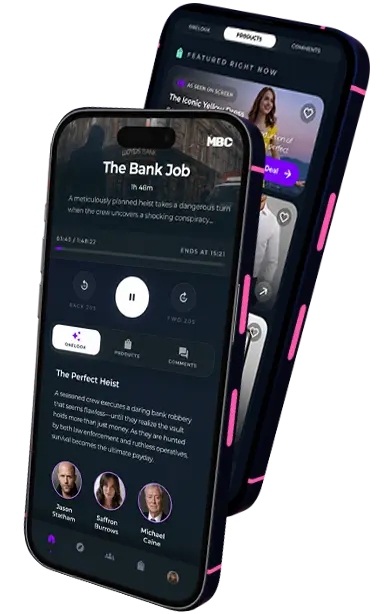
Prefer a different way to watch? OneLink pairs your phone with your TV to unlock exclusive content, live communities, watch parties, competitions and more, all while you watch!
On mobile? Just tap any Watch Now button and you'll be taken straight into OneLink!
- 01
Scan & Connect
Open OneLink and scan the QR code on your TV. In seconds, you're ready to unlock a whole new way to enjoy what you're watching.
- 02
Start Watching
Sit back and enjoy the show. As you watch, OneLink quietly works in the background, ready with interactive experiences whenever you want them.
- 03
Explore More
Discover cast information, exclusive content, featured products, social moments, and so much more—all in one place.
No apps,
no downloads.
Just tune in.
You don't need to create an account or download an app.
You can find the MBC Channel on the UK's biggest broadcast platforms. To watch TV online free, you will need a smart TV and to follow these steps:


- 1
Ensure your TV is connected to the internet and check your aerial or cable connection.
- 2
Retune your Freeview channels.
- 3
Tune into us on Freeview 259 or Freely 562.
- 4
To explore MBC's sub channels, like The Graham Norton Show or Lifetime Movies, press the red button on your remote.
Sit back and enjoy! No apps, no sign-ups, no subscriptions.
Frequently Asked Questions
My Binge Channel (MBC) is a free TV channel available on the UK's biggest broadcast platforms, streaming a curated lineup of movies and shows around the clock — no apps, downloads, or subscriptions required.
No. MBC is completely free to use. You can watch TV series free and watch movies free without any monthly subscriptions, credit card sign-ups, or hidden fees. We are dedicated to providing high-quality free TV for everyone.
To watch MBC you must have your TV connected to both the internet and a terrestrial cable or aerial. This can be achieved through a smart TV or a set-top-box allowing access to Freeview or Freely.
MBC is home to a family of themed sub-channels, like The Graham Norton Show, Lifetime Movies, and MovieSphere. Once you're tuned into MBC, just press the red button on your remote to browse and jump straight into them.
First, make sure your TV is connected to the internet and check your aerial or cable connection, then retune your Freeview channels. If you still can't find MBC, get in touch at freeview-support@goseetv.media and we'll help you get sorted.
If you have tried all of the steps above and you still can't access our channels, get in touch with us via our Instagram or Facebook pages. Alternatively you can contact us via freeview-support@goseetv.media and we will be happy to help!